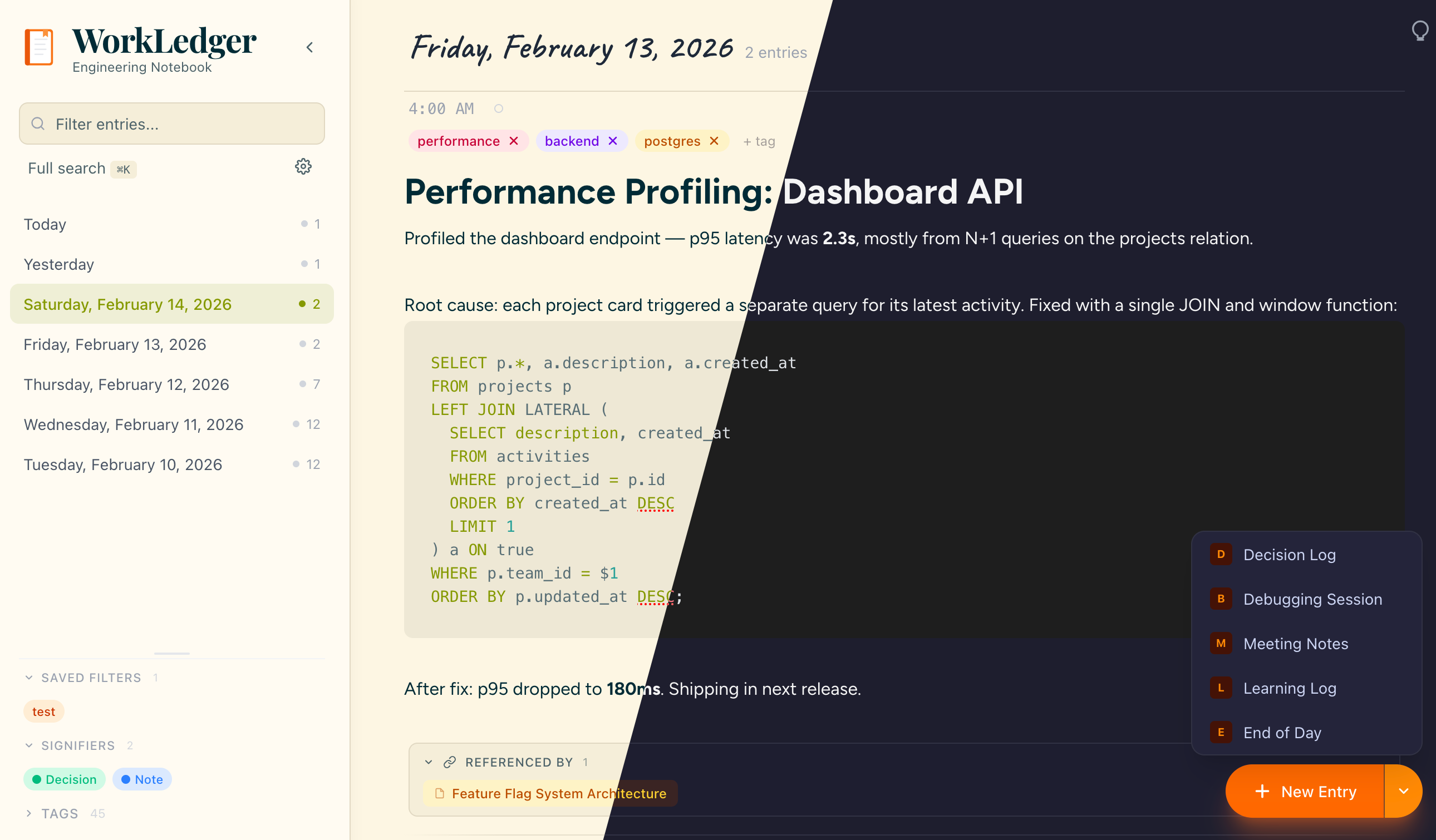
A local-first notebook for engineers who want to capture ideas, meeting notes, and diagrams — without sending data to a server.
Built for engineers who document as they build. Local-first, customizable, and keyboard-driven.
Toggle a weekly view that groups entries by ISO week with signifier breakdowns, top tags, and entry previews. Collapsible week cards auto-expand the most recent. Filter by tag, text, or signifier — all filters work in review mode.
Start entries with structured sections. Decision Log, Debugging Session, Meeting Notes, Learning Log, and End of Day — each with pre-filled headings and auto-tags.
Mark entries that matter: decisions worth remembering, open questions, ideas to explore, or milestones to celebrate. Most entries need no signifier — that's by design.
Type [[ to link between entries. A "Referenced by" panel below each entry shows all backlinks — auto-maintained as you write.
Pin important entries to the top of your stream. Save tag + text filter combinations as named presets for one-click access in the sidebar.
Local storage by default. Optionally sync across devices with end-to-end encryption — entries are encrypted before leaving your browser. Use the default server or self-host your own.
Core Features
No sign-up, no install. Just open the app and start documenting your engineering work.
Create entries with rich text, embed diagrams, and tag your notes. Everything auto-saves locally.
Find anything instantly with full-text search, tag filtering, and keyboard shortcuts.
12 concrete actions built for engineers — summarize your day, generate a standup update, rubber-duck a problem, or recall past decisions. AI works across your entries with day, week, and topic scope. Runs locally via Ollama or remotely via Hugging Face — your choice, your data.
Click the gear icon in the sidebar and select "Enable AI"
Connect Ollama locally, Hugging Face remotely, or your own server
Hover over any note and click the lightbulb icon to open the AI sidebar
Choose from 12 engineer actions — summarize, generate, think, or remember
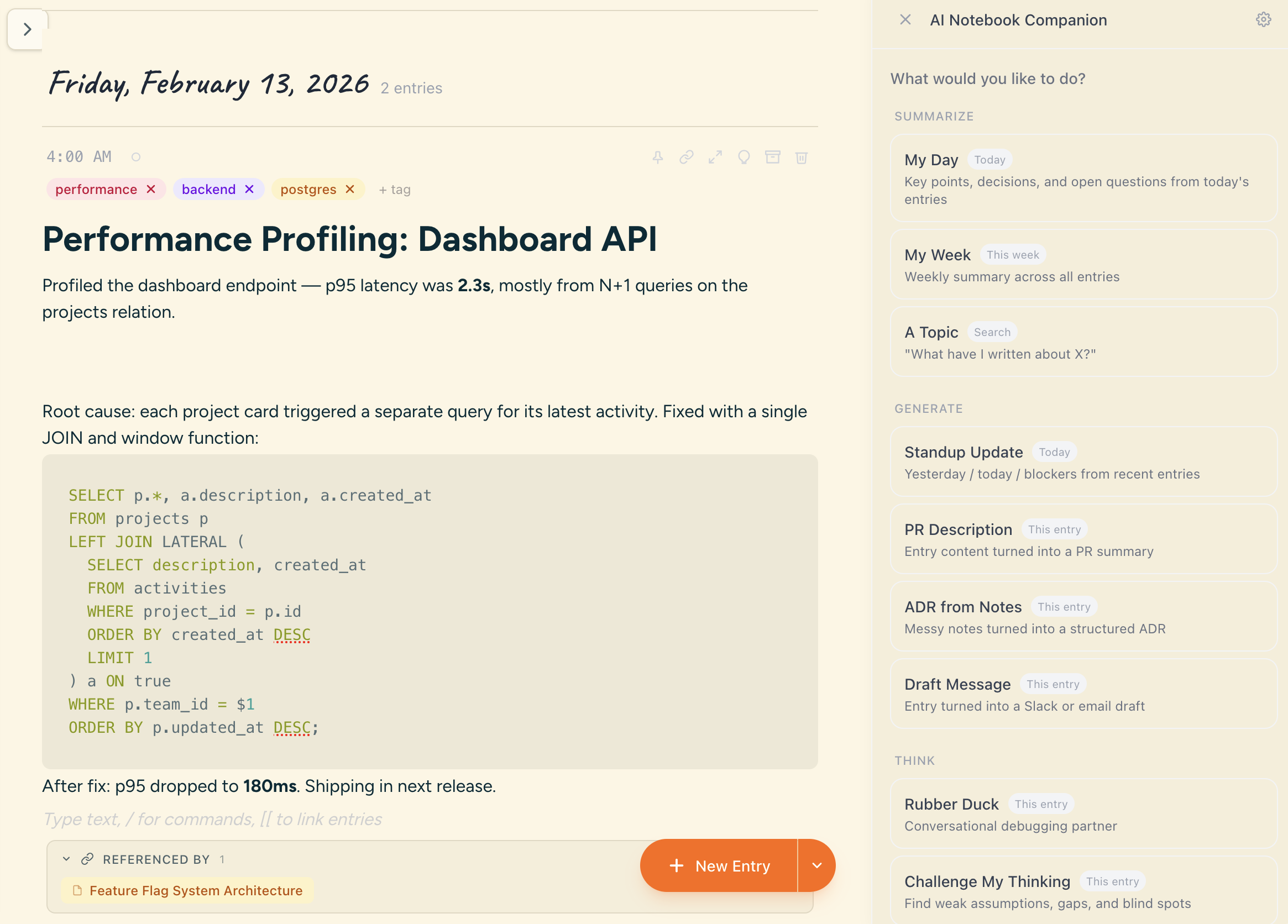
Pick an action, choose the scope (day, week, or topic), and get actionable output you can copy and use.
12 engineer actions in 4 categories
Get a concise summary of everything you documented today — decisions, tasks, and key takeaways.
Review the full week at a glance — themes, progress, and open items across all entries.
Search for a topic and get a summary of everything you've written about it across all entries.
Generate a ready-to-post standup message from your recent entries — yesterday, today, blockers.
Turn your implementation notes into a clear PR description with context, changes, and test plan.
Transform decision notes into a structured Architecture Decision Record — context, decision, consequences.
Draft a Slack message or email from your notes — clear, professional, ready to send.
Explain your problem to an AI rubber duck. It asks clarifying questions to help you find the answer yourself.
Get your assumptions challenged. The AI plays devil's advocate on your notes and decisions.
Weigh the pros and cons of approaches you're considering. Get a structured comparison.
Search your past entries for decisions on a topic. Never lose track of why you chose an approach.
Find when you last touched a project or topic. Get a timeline of related work across your notebook.